

Those tiny balances in your wallet may still be worth something. Before burning a token, check whether you can swap it for SOL. You keep its remaining sale value, then recover any available deposit from the account it leaves behind.
How do I swap dust tokens on Solana?
Open Sol Incinerator's swap tool, choose the token you want to sell and select SOL as the output. Enter the amount and check the quote. If the trade is worthwhile after costs, approve it in your wallet. Once it confirms, check Sol Incinerator for empty accounts you can close.
Turn a leftover balance into SOL
Our swap tool uses Jupiter to find routes through supported Solana liquidity pools.
- Connect your wallet in the swap interface.
- Choose your dust token under Selling and SOL under Buying. Check the mint address if several tokens share a name.
- Enter the amount you want to sell. Selling the full balance may leave the account empty for cleanup.
- Check the SOL you'll receive and the charges shown in the quote. Approve the trade if you're happy with the result.
The /swap page handles one input/output pair at a time. Repeat for other balances you want to sell.
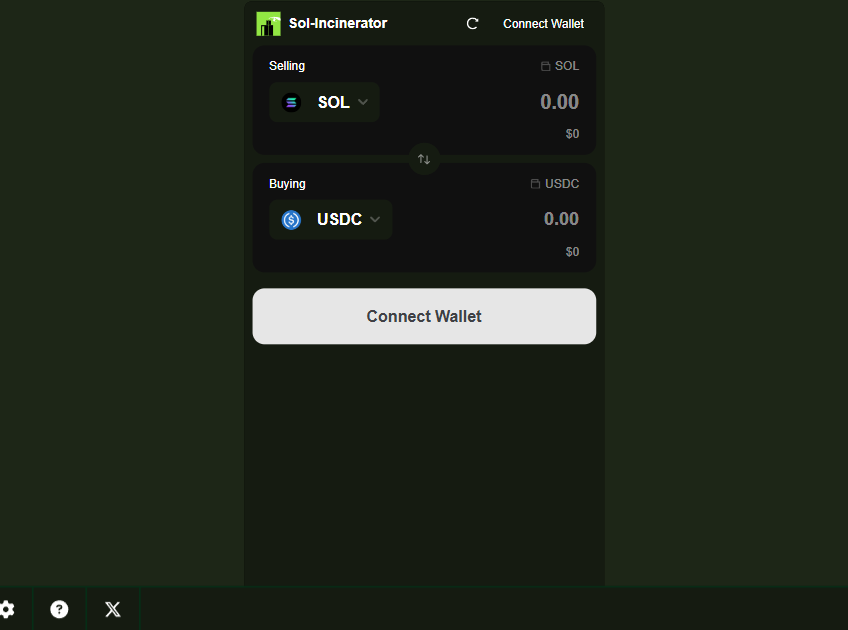
The public swap form, checked October 6, 2026. Choose your dust token as the input and SOL as the output.
Is the swap worth it?
Compare the SOL you'll receive with the cost of making the trade. For very small balances, the costs can be more than the swap returns.
The /swap page charges a 0.5% platform fee, checked October 6, 2026. Network costs, pool fees and applicable token transfer fees also affect the result. Check the quote rather than relying on the dollar value shown next to the token in your wallet.
A token with a worthwhile sale value belongs in a swap, not a burn. Burning permanently destroys that value; it doesn't increase the account deposit you can reclaim afterward.
What if no route appears?
First check that you selected the right mint, since several tokens can share a name, then refresh the quote. A route can be missing because of low liquidity, token support or a temporary routing problem; Jupiter lists the common routing errors.
If you're unsure what the token is, leave it in your wallet. If you've decided you no longer want it, Pro Mode offers permanent burning for supported assets. Our rugged-token guide covers that decision.
Get the account deposit back too
After your swaps confirm, open Sol Incinerator in Fun Mode and check for empty accounts. We'll show how much SOL you can recover from closing the ones you're finished with.
The amount depends on the SOL each account still holds and the charges for your cleanup. Some accounts may already have closed during the trade.
Keep an account open if you still use it for payments or an active strategy. For the rest, our empty-account guide walks through getting the deposits back.

Sol Incinerator Swap
See what your leftover tokens could return in SOL. Choose a token and check its swap quote.